
Bwinners Mobile App
Bwinners gives players in The Gambia a fast mobile way to bet on sports and play casino games from a smartphone. The app experience is available as a PWA, which means players can install Bwinners directly from the browser on Android and iOS without downloading a traditional app from an app store.
The PWA works like a mobile application. It opens from the home screen, loads quickly, keeps the sportsbook and casino close at hand, and gives players access to the same account balance, betting markets, casino games, promotions and cashier tools.
How to Install the Bwinners PWA on Android
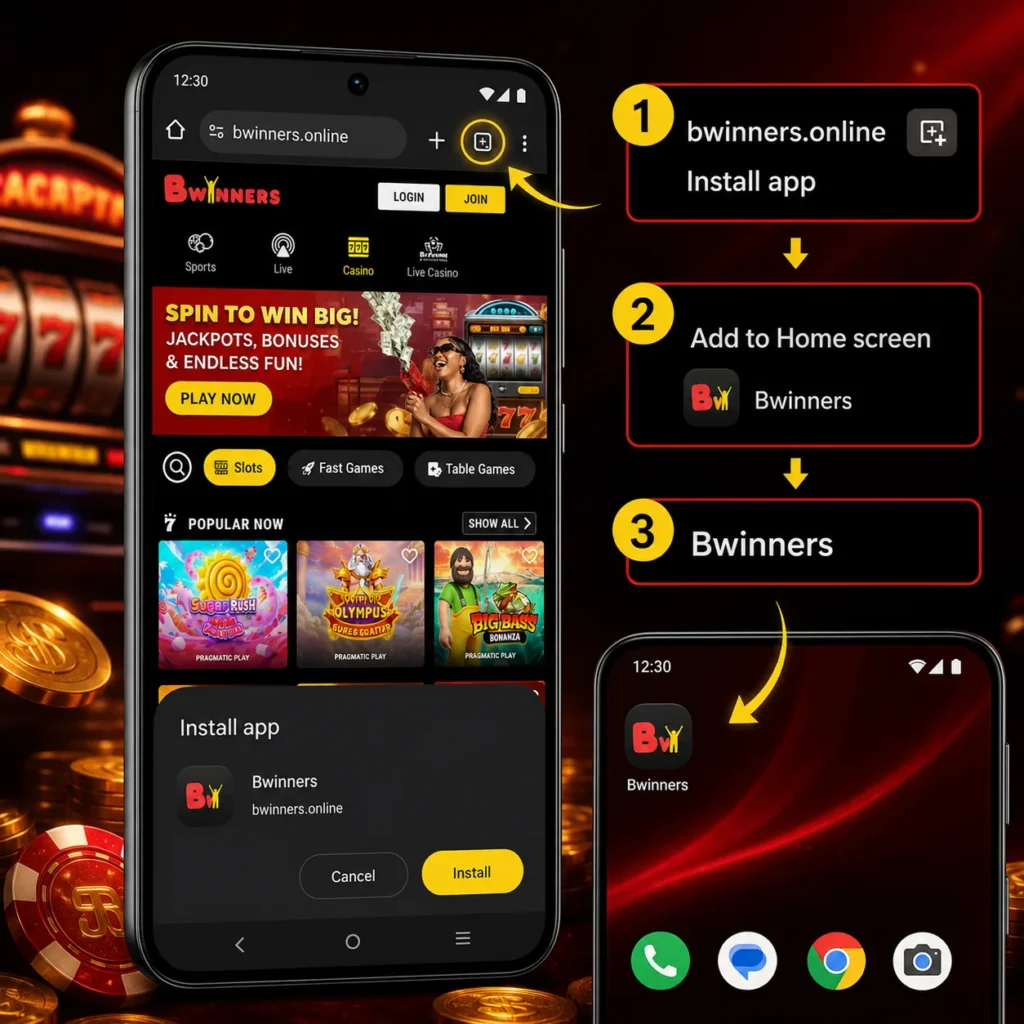
- Open Bwinners in your mobile browser
- Wait for the page to load fully
- Tap the browser menu icon
- Choose Add to Home Screen or Install App
- Confirm the installation
- Open Bwinners from the new home screen icon
- Log in or create an account
- Start using sportsbook, casino and cashier tools
How to Install the Bwinners PWA on iOS
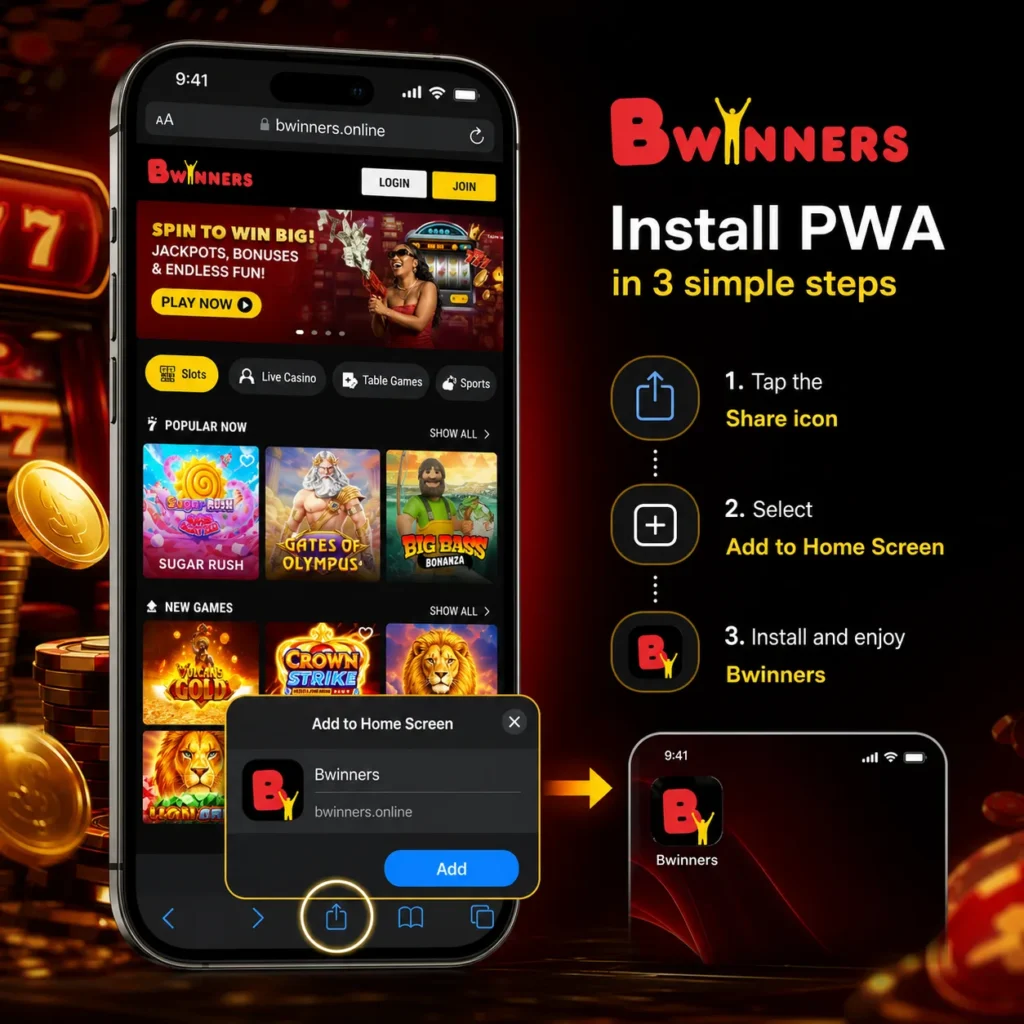
- Open Bwinners in Safari
- Tap the Share button
- Scroll down and choose Add to Home Screen
- Confirm the app name
- Tap Add
- Open Bwinners from the iPhone home screen
- Log in or sign up
- Use the mobile app experience for betting and casino games
What the Bwinners App Can Do
The Bwinners PWA gives players direct access to the main platform features from a phone. It is built for quick sessions, live sports action and smooth casino play.
Main App Features
- Create and access a Bwinners account
- Place prematch sports bets
- Bet in real time during live matches
- Follow football, basketball, tennis and other sports
- Open casino games from the mobile lobby
- Play slots, fast games and table games
- Enter live casino games with real dealers
- Deposit and manage account balance
- Check promotions and active offers
- View bet history and account activity
Live betting is one of the strongest mobile features. Players can react to match events while the game is in progress, follow changing odds and place bets without leaving the app. Casino players can also open quick games, slots and live dealer tables directly from the same mobile account.
Is the Bwinners App Safe
The Bwinners PWA is designed to give players secure access to their account through the mobile browser. Players log in with their personal account details, and account verification may be requested to protect payments and withdrawals.
The app also avoids unofficial downloads. Since the PWA is installed from the browser, players do not need to search for unknown APK files or third party app packages. This helps reduce the risk of fake apps, unsafe downloads and copied login pages.
Safe Use Tips
- Install the app only from the official Bwinners platform
- Keep your phone browser updated
- Use a strong account password
- Never share login details or verification codes
- Log out on shared devices
- Keep your mobile number active for account checks
Possible Bwinners App Problems
Most app issues are connected to the browser, phone storage, internet connection or cached data. Since the PWA works through the browser, solving these problems is usually quick.
Common Issues and Fixes
| Problem | Possible reason | What to do |
| The app does not open | Weak internet or old cached data | Switch network, refresh the page or clear browser cache |
| Login screen keeps reloading | Session conflict or browser storage issue | Close the app, reopen it and clear site data if needed |
| Games load slowly | Low signal or too many background apps | Use a stronger connection and close unused apps |
| Install button is missing | Unsupported browser or private mode | Use Chrome on Android or Safari on iOS |
| Live odds update slowly | Unstable mobile data connection | Move to a stronger network before placing live bets |
If the issue continues, players can remove the home screen icon and install the PWA again from the browser. Account balance, bets and casino activity remain connected to the Bwinners account, not to the phone icon itself.